
Work, WFH & Digital Life
How much screen time does the average UK worker get?
Quick answer
There is no single reliable figure for the average UK worker, because it depends heavily on the job. For desk-based workers, screen time is often close to the whole working day, with phone, TV and laptop use added in the evening. The most useful number is your own, which your phone and computer can help you measure.
Is there a reliable figure for the average UK worker?
Not one you can trust as a single number. Screen time varies enormously between a delivery driver, a nurse on a ward, a software developer and a call-centre adviser, so an average across all workers tells you very little about your own day.
Ofcom publishes regular reports on how UK adults use phones, the internet and television, and they are worth reading if you want the wider picture. Be wary of headlines that quote a precise daily figure for workers, though. Different surveys measure different things, such as time online, time on a phone or time watching TV, and those numbers are often combined in ways that do not match real working lives.
What a typical desk day tends to look like
For anyone whose job is done on a computer, screen time and working time are close to the same number. Emails, documents, spreadsheets, chat tools and video calls all happen on a screen, and even meetings in a room often involve a laptop or a shared display.
Around that core, most people add screens at both ends of the day. A phone check before getting up, messages and news on the way in, a streaming service or social media in the evening, and often a phone in hand while the TV is on. Put together, the total for many desk workers covers a large share of their waking hours, which is worth knowing even without a precise figure attached.
How to measure your own screen time
Your devices can tell you more about your screen time than any national average. Most phones and computers now track it automatically, and a week of data gives you a realistic picture.
Look at the pattern as well as the total. When do the longest stretches happen, and which apps take the most time? That is far more useful than comparing yourself to a figure in a news story.
Give it at least a full week before drawing conclusions. A single day can be unusual, and weekends often look very different from weekdays. If you work across a phone, a work laptop and a home computer, add the totals together rather than looking at one device, because the real picture is almost always the combined one.
It can also help to note how you felt at the end of each day. Were the days with long unbroken stretches the ones that felt hardest? Did a day with a proper lunch away from the desk feel easier? That kind of simple note tells you more about what to change than the total alone.
- iPhone and iPad: Settings, then Screen Time, shows daily and weekly totals by app
- Android: the screen-time dashboard in Settings shows usage by app
- Mac: Screen Time in System Settings works the same way as on iPhone
- Work laptop: a simple one-week diary of start, finish and long breaks is often the easiest method
- TV and consoles: many show viewing or play history in their settings
The screen hours people forget to count
When people guess their screen time, they usually count work and forget the rest. The gaps are often in small, scattered moments that add up across a day.
None of these is a problem in itself. Seeing them written down simply makes it easier to decide which ones you want to keep and where a break would fit.
- Checking the phone first thing in the morning
- Scrolling or reading on the commute
- Video calls, which rarely feel like screen time
- A phone in hand while the TV is on
- Weekend admin, online shopping and banking
- Reading on a tablet or e-reader at the end of the day
Hybrid and home working: where the hours move
Working from home does not usually reduce screen time. It removes the commute, but it also removes the walks between meetings, the chats by the kettle and the lunch away from the desk. Many people find the working day stretches a little at either end as well.
Home setups are also often less considered than office ones: a laptop on a kitchen table, a dim spare room or a sofa in the evening. If your screen time has shifted home, it is worth giving the desk the same attention an office would. Our post on glasses and your computer screen setup walks through the basics, and our guide to screens, work and modern digital life covers the bigger picture.
What to do with the number
Use it to shape your day rather than to judge yourself. There is no official daily limit for adults to aim for, and for most desk workers cutting screen time sharply is not realistic. What you can change is how those hours feel.
Build breaks into the long stretches your data shows up. Many people use the 20-20-20 habit: every twenty minutes, look at something about twenty feet away for twenty seconds. Stand up between calls, take lunch away from the desk and add a lamp so the screen is not the only light in the evening. Small, repeatable habits beat big resolutions.
If your data shows a lot of evening scrolling, try simple changes such as leaving the phone to charge in another room or swapping one evening of streaming for a book or a walk. Try it as an experiment for a week and look at the numbers again afterwards.
Why the total changes what glasses you should buy
If a frame is on your face for most of your waking day, comfort stops being a nice extra. Weight, arm width and how the frame sits on your nose matter more than they would for an hour of use.
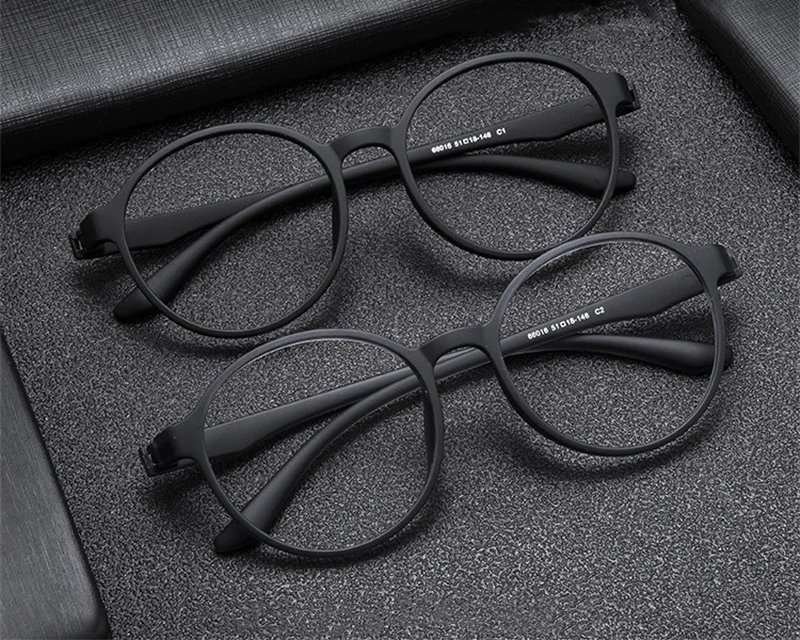
For long days, look at light frames such as the Featherlight Round or the Titanium Square readers, which weigh about eight grams. The Midnight Square at £9.99 is an easy everyday choice. Every pair filters blue light from screens, and the computer and screen glasses collection is a good place to compare them.
If you spend long hours at a screen, fit is everything. Home Try-On lets you wear up to four frames through a real working day before you choose, free for seven days.
Frequently asked
How many hours a day does the average UK worker spend on screens?
There is no single reliable figure, because it depends so much on the job. Desk-based workers often spend most of the working day on a screen, then add phone and TV time in the evening. Your own device data is a better guide than any average.
How do I check my screen time?
On iPhone and Mac, open Screen Time in Settings. On Android, use the screen-time dashboard in Settings. For a work laptop, a simple one-week diary of your working hours is often the easiest method.
Is there a recommended daily screen time limit for adults?
There is no official daily limit for adults in the UK. It is more useful to focus on regular breaks, a good desk setup and sensible lighting than on a clock figure.
Does working from home increase screen time?
It often does. Working from home removes the commute but also removes the natural breaks of an office day, and many people find their working hours stretch.
What counts as screen time?
Any time spent looking at a phone, computer, tablet, TV or games console. Video calls, e-readers and a phone used while watching TV all count, even though people often forget them.
What is the 20-20-20 habit?
It is a simple break habit: every twenty minutes, look at something about twenty feet away for twenty seconds. Many desk workers use it to add regular pauses to long screen sessions.
Mentioned above
Frames from this guide


Work, WFH & Digital Life
More from this topic
Best blue light glasses for working from home: UK guide
The best blue light glasses for working from home are light, well-fitting frames with clear lenses and an anti-glare.
Read Work, WFH & Digital LifeComputer glasses for office workers
Computer glasses for office workers are everyday frames with lenses that filter blue light from screens and an.
Read Work, WFH & Digital LifeGlasses for your computer screen setup
Sort your screen setup first, then choose glasses. Put the monitor about an arm's length away with the top at or just.
Read